What Is the Best Way to Maintain Industrial Printers?

Time:2026-09-20 Author:Liam
0%

Industrial printers are production assets, not oversized office machines. Their printheads, ink systems, conveyors, sensors, and curing units work under heat, dust, vibration, and continuous load. Small details matter. A clogged nozzle can become a faded barcode, rejected batch, or unplanned line stop.

Deloitte’s 2023 Global Smart Manufacturing Survey found that 86% of manufacturers expect smart manufacturing to strengthen competitiveness within five years. That finding supports a practical shift from reactive repairs toward condition-based maintenance. However, automation alone cannot protect equipment. Operators still need accurate cleaning routines, ink compatibility checks, temperature records, and verified spare parts. This is where understanding how to maintain industrial printing equipment becomes essential. Daily inspections should include nozzle tests, fluid leaks, air pressure, filter condition, and print alignment. Weekly checks can examine rollers, encoder strips, cable connections, and curing performance. Follow the manufacturer’s service intervals for pumps, dampers, lamps, and printheads.

PMMI industry research continues to highlight workforce pressure and the need for more reliable packaging operations. That pressure makes preventive maintenance valuable, but maintenance plans are not automatically effective. A forgotten logbook, incorrect solvent, or rushed calibration can quietly shorten equipment life. The best programs combine operator experience, OEM guidance, maintenance software, and measurable results such as mean time between failures and maintenance-related rejects. Downtime is expensive. Yet chasing every alarm immediately may create unnecessary adjustments. Review the evidence first. A clear checklist, clean working area, controlled consumables, and documented technician training often deliver more value than complicated promises. Data should guide decisions, but experienced people must still question it.
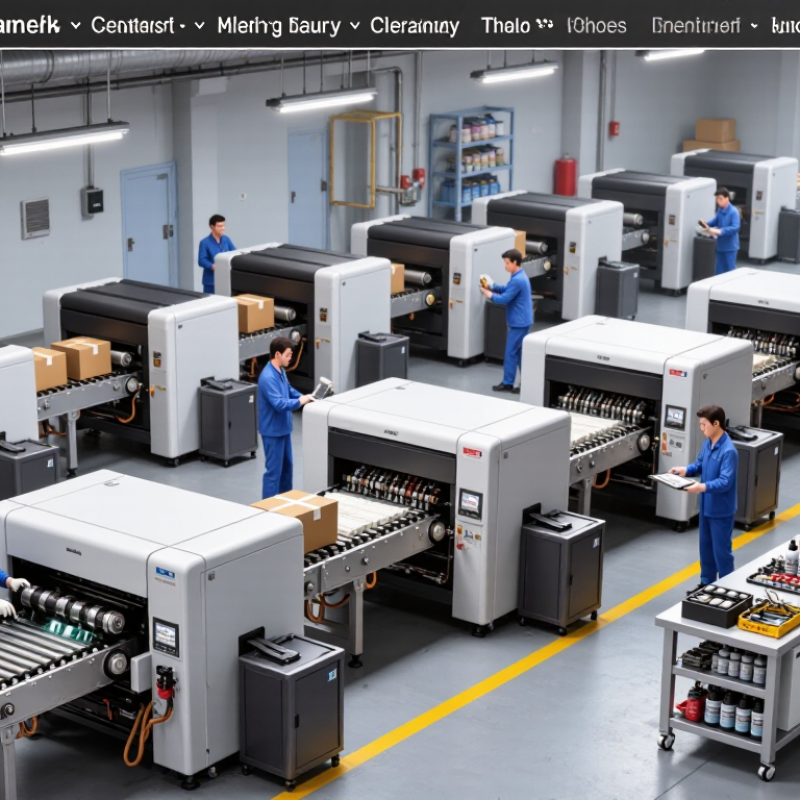
What Is the Best Way to Maintain Industrial Printers?

Types of Industrial Printers and Their Maintenance Requirements

What Is the Best Way to Maintain Industrial Printers?

Types of Industrial Printers and Their Maintenance Requirements

Industrial printers handle dust, heat, vibration, and long production runs. Their maintenance needs depend heavily on the printing technology.

Continuous inkjet printers require regular cleaning around the nozzle and ink-return system. Dried ink can distort characters within hours. Thermal inkjet printers usually need clean cartridges, protected printheads, and stable operating temperatures. Laser printers have fewer consumables, but their lenses, filters, and ventilation paths need inspection. Thermal transfer printers depend on correct ribbon tension and a clean printhead. Large-format printers require careful media alignment and controlled humidity.

Keep it simple. Clean surfaces before buildup becomes visible. Operators should inspect print quality at the start of every shift. Uneven lines, fading, or missing dots often indicate contamination, pressure changes, or worn components. Record these findings with the date, material, and operating conditions. This creates useful evidence for troubleshooting instead of relying on memory.

Scheduled maintenance should include filter checks, cable inspections, software backups, and replacement of approved wear parts. Follow the equipment manual for cleaning fluids and service intervals. Do not guess. I have seen teams replace expensive components when a loose connection caused the problem. That mistake is easy to make during a rushed production day. Small leaks matter. Ink residue near electrical areas needs immediate attention by trained personnel. Maintenance plans should also reflect real factory conditions, because a clean laboratory schedule may fail in a dusty workshop.

Creating a Routine Inspection and Cleaning Schedule

Industrial printers perform more reliably when inspection and cleaning become scheduled work, not emergency work. In my maintenance experience, small deposits often become expensive failures. A practical schedule starts with a brief daily inspection. Check print quality, unusual noise, loose cables, leaks, and warning messages. Record each finding immediately.

Set aside one weekly cleaning session for accessible surfaces, rollers, sensors, and ventilation openings. Use approved lint-free wipes and cleaning fluids recommended for the equipment. Never spray liquid directly into the printer. Power down safely before touching internal parts, and allow heated components to cool. Inspect ink, powder, or material residue around moving parts. A soft brush can remove dry particles without forcing them deeper inside. Keep the work area clean, dry, and well ventilated.

Every month, inspect belts, guides, filters, connectors, and cooling fans. Compare current print samples with older samples. Changes in density, alignment, or edge sharpness can reveal mechanical problems early. Maintain a dated log with the operator’s name and corrective action. This creates useful evidence for service decisions and training.

Our early schedule was too optimistic. Cleaning was postponed during busy production, and one missed inspection caused avoidable downtime. Now, I attach maintenance tasks to shift changes and production planning. The schedule still needs adjustment. Dust levels, workload, and material type can change the right cleaning frequency. When repeated faults appear, stop guessing and request qualified technical support.

Managing Ink, Media, and Printhead Conditions

Industrial printer reliability depends heavily on daily control of ink, media, and printhead conditions. Check ink levels before production begins, not after streaks appear. Confirm that containers are sealed and free from dust, dried residue, or unusual color changes. Ink should flow consistently through the system. Small leaks matter. Wipe fittings with a lint-free cloth and record any recurring problem.

Media also needs careful handling. Store rolls or sheets in a stable, dry room, away from direct sunlight and floor moisture. Let new media reach room temperature before loading it. This reduces curling, condensation, and registration errors. Check the media path for adhesive dust or loose fibers. A clean path supports accurate feeding. However, I have learned that “compatible” media can still behave differently between production batches, so test a small section before a long run.

Printheads require gentle, scheduled attention. Use the approved cleaning method and avoid pressing against the nozzle surface. Inspect test patterns for missing lines, uneven density, or blurred edges. These signs may indicate contamination, air in the ink path, incorrect temperature, or poor media alignment. Do not guess. Record the pattern, time, ink condition, and cleaning action. This creates useful maintenance evidence and helps technicians identify trends. I once cleaned a head repeatedly when alignment was the real issue. That mistake wasted ink and delayed production. Maintenance should be measured, documented, and adjusted when results do not improve.

Checking Mechanical, Electrical, and Software Systems

What Is the Best Way to Maintain Industrial Printers?

Checking Mechanical, Electrical, and Software Systems

Reliable printer maintenance begins with the mechanical system. Inspect rollers, belts, guides, printheads, and ink lines for wear or residue. A technician should check alignment with a test pattern, not visual judgment alone. Small vibrations can become blurred edges, uneven coating, or repeated jams. Keep a dated service log. It reveals patterns that memory misses.

Electrical checks deserve equal attention. Measure supply voltage, inspect grounding, and tighten accessible terminals during scheduled shutdowns. Look for heat discoloration near connectors and power modules. Compressed air and dust can damage cooling paths. The U.S. Department of Energy reports that predictive maintenance can reduce maintenance costs by roughly 25–30% compared with reactive practices. However, sensors cannot replace careful inspection. A faulty sensor may create false confidence.

Software maintenance is less visible, but equally important. Review error logs, back up print recipes, and test recovery procedures before updating firmware. Restrict user permissions and separate printer networks from general office traffic. The ISA/IEC 62443 framework recommends controlled access, secure configuration, and continuous monitoring for industrial systems. McKinsey reports that predictive maintenance may reduce downtime by up to 50% in suitable operations. Results vary. Poor data produces poor decisions. A practical monthly review should compare alarms, consumable use, print quality, and unplanned stops. Leave room for reflection: a completed checklist is not proof that the printer is healthy.

What Is the Best Way to Maintain Industrial Printers? - Checking Mechanical, Electrical, and Software Systems

System Inspection Area Recommended Frequency What to Check Typical Acceptance Criteria Corrective Action
Mechanical Printhead and nozzle area Daily or before each production shift Ink or dust buildup, damaged nozzles, blocked air passages, and visible leakage No active leakage; print test shows uniform lines and characters Clean with the approved maintenance method, run a nozzle test, and replace damaged parts if required
Mechanical Conveyor, encoder, and product sensor Weekly Belt tracking, vibration, encoder contamination, sensor alignment, and product spacing Stable product movement with consistent trigger timing and no abnormal vibration Remove contamination, realign sensors, adjust belt tension according to the service procedure, and inspect bearings
Mechanical Cabinet filters, cooling fans, and ventilation Weekly; more often in dusty areas Blocked filters, reduced airflow, fan noise, and excessive heat inside the enclosure Airflow is unobstructed and operating temperature remains within the equipment manual limits Clean or replace filters, clear ventilation openings, and replace noisy or failed fans
Mechanical Fluid lines, pumps, valves, and reservoirs Daily visual check; detailed inspection monthly Cracks, loose connections, air bubbles, crystallized residue, fluid level, and filter condition No visible leaks; fluid level and pressure remain within specified operating ranges Tighten or replace connections, remove residue, change filters, and investigate abnormal pressure
Electrical Power supply, cables, and grounding Monthly and after electrical work Loose terminals, damaged insulation, overheating, unstable voltage, and grounding continuity Connections are secure and electrical measurements comply with local safety requirements Isolate power safely, repair wiring by qualified personnel, and correct grounding or voltage problems
Electrical Control panel, relays, and emergency stop circuit Monthly Alarm history, relay operation, connector condition, indicator lights, and emergency-stop response Controls respond correctly and emergency stop removes hazardous motion or energy Record faults, replace defective components, and stop operation until safety functions are restored
Electrical Static control and electromagnetic environment Monthly or when print defects appear Static discharge, dust attraction, intermittent signals, and communication errors No recurring static-related faults; signal and print quality remain stable Verify grounding, improve cable routing, control humidity where appropriate, and inspect shielding
Software Print jobs, templates, and production parameters Daily review and after product changeover Message content, date or batch variables, print position, speed, delay, and character height Approved job matches the production specification and prints correctly on the first-run sample Use controlled templates, verify settings against the work order, and remove obsolete jobs
Software Event logs, alarms, and error codes Weekly Repeated faults, low-fluid warnings, temperature alarms, missed triggers, and communication failures Recurring alarms are investigated rather than repeatedly cleared without diagnosis Document the fault, identify the underlying cause, and escalate unresolved issues to qualified service personnel
Software Configuration backup and access control Monthly and before major configuration changes Job files, settings, user permissions, network configuration, and restoration procedure A recent backup is available and can be restored using documented steps Store backups securely, limit administrative access, and test restoration periodically
Performance Print quality and preventive-maintenance records Per shift for quality; monthly for trend review Legibility, contrast, position accuracy, rejected products, downtime, and maintenance actions Quality remains within the approved production specification and repeat failures show a declining trend Trend the records, revise maintenance intervals, train operators, and perform root-cause analysis

Maintenance intervals should be adjusted for printer type, operating hours, ink or fluid chemistry, production environment, and the equipment service manual. Electrical and safety-related work should be performed by qualified personnel.

Diagnosing Problems and Planning Preventive Repairs

What Is the Best Way to Maintain Industrial Printers?

Industrial printers rarely fail without warning. A faint band, uneven color, or rising reject rate often appears first. During service work, I inspect the output before opening the cabinet. The print sample helps identify mechanical, electrical, or material-related faults. I check nozzle condition, media alignment, ink flow, temperature, and sensor readings. Dust near a carriage rail can create repeated lines. A loose connection may cause intermittent errors. Record every observation. Compare it with earlier service logs.

A preventive repair plan should connect symptoms with likely causes and operational risk. Clean accessible parts according to the equipment manual, then run a controlled test pattern. Do not replace expensive components because of one unclear symptom. Confirm the fault twice. Schedule inspections by operating hours, print volume, and workplace conditions. High dust, heat, or humidity requires shorter intervals. Keep approved parts, suitable tools, and calibration records ready. I once treated a recurring streak as a dirty surface. The real cause was worn alignment hardware. That mistake delayed production and changed my checklist. Now, I review repeated failures monthly and adjust maintenance intervals when the evidence changes.

What Is the Best Way to Maintain Industrial Printers?

Diagnosing recurring faults and scheduling preventive repairs can reduce unplanned downtime. The chart shows quarterly downtime hours commonly tracked across major industrial printer failure categories.

Preventive inspections should prioritize printhead clogging and paper-feed wear because these issues account for the largest share of recorded downtime.

FAQS

How often should an industrial printer be inspected?

Perform a brief inspection every day. Check print quality, unusual noise, loose cables, leaks, and warning messages. Record findings immediately. Small deposits matter. Adjust the schedule when dust, workload, or materials change.

What should weekly cleaning include?

Clean accessible surfaces, rollers, sensors, and ventilation openings once a week. Use approved lint-free wipes and suitable cleaning fluid. Never spray liquid directly into the printer. Power down safely, then let heated parts cool.

How can operators clean dry residue safely?

Inspect residue around moving parts before cleaning. Use a soft brush to remove dry particles gently. Avoid forcing dust deeper inside. Keep the area clean, dry, and well ventilated.

What mechanical parts require monthly inspection?

Inspect belts, guides, filters, connectors, cooling fans, rollers, and printheads monthly. Check alignment with a test pattern rather than visual judgment alone. Small vibrations may create blurred edges, uneven coating, or repeated jams.

Which electrical checks support reliable operation?

During scheduled shutdowns, check supply voltage and grounding. Inspect accessible terminals and tighten them when appropriate. Look for heat discoloration near connectors and power modules. Dust can block cooling paths.

How should software maintenance be handled?

Review error logs and back up print recipes regularly. Test recovery procedures before updating firmware. Restrict user permissions and separate printer networks from general office traffic. Secure settings need regular review.

How can early print problems be diagnosed?

Examine the printed sample before opening the cabinet. Look for faint bands, uneven color, rising reject rates, or sharpness changes. Check nozzle condition, media alignment, material flow, temperature, and sensor readings. Compare current samples with older ones.

When should preventive repairs be planned?

Connect each symptom with a likely cause and operational risk. Confirm unclear faults twice before replacing costly components. Schedule work by operating hours, print volume, dust, heat, and humidity. Repeated failures deserve a monthly review.

Why should maintenance records include detailed observations?

A dated log should include the operator, symptoms, corrective action, and test results. It reveals patterns that memory misses. A completed checklist is not proof of printer health. Our early schedule was too optimistic.

Conclusion

Maintaining industrial printers requires a structured approach that reflects the machine’s type, operating environment, and production demands. The best way to maintain industrial printing equipment is to combine regular inspections with careful cleaning and timely adjustments. Operators should establish a routine schedule to remove dust, ink residue, and debris, while checking printheads, ink delivery components, media paths, and curing or drying systems. Monitoring ink quality, storage conditions, media alignment, and printhead performance can prevent inconsistent output and reduce unnecessary downtime.

A complete maintenance plan should also include mechanical, electrical, and software checks. Belts, rollers, sensors, cables, and safety covers should be examined for wear or damage, while software settings, control systems, and error records should be reviewed regularly. When problems occur, operators should document symptoms, identify possible causes, and complete preventive repairs before minor issues become serious failures. Clear maintenance records, trained personnel, and scheduled replacement of worn parts can improve print quality, extend equipment life, and support safer, more reliable production.

Liam

Liam

Liam is a dedicated marketing professional with a profound expertise in the industry, where he excels at highlighting the unique advantages of our core products. With a keen understanding of market trends and consumer needs, Liam frequently updates our company’s professional blog, providing......